


Claude Code Loops Explained: Why Prompts Alone Won't Cut It

Praveen Kumar
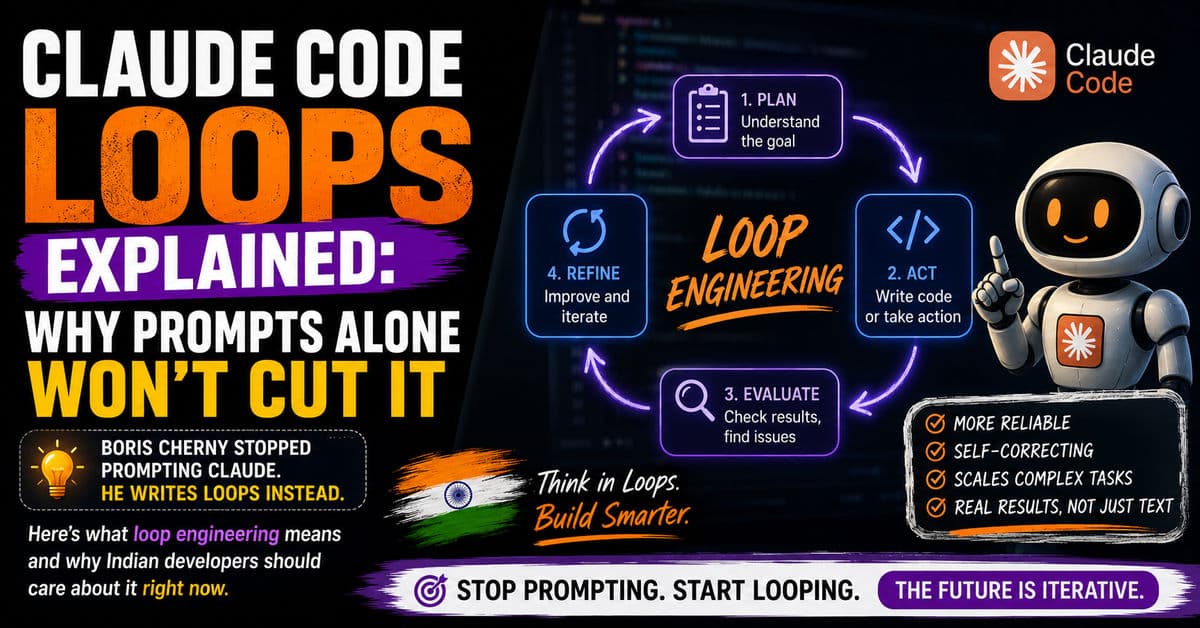
The Creator of Claude Code Doesn't Write Prompts Anymore
Boris Cherny built Claude Code. He leads the team at Anthropic that ships it. And in June 2026, he said something that made the entire developer community pay attention: "I don't prompt Claude anymore. I have loops running that prompt Claude and figuring out what to do. My job is to write loops."
That's not a metaphor. Cherny hasn't hand-written a line of production code since October 2025. On his peak day, he merged 150 pull requests. He runs five to ten Claude sessions simultaneously, spawns hundreds of agents across them during the day, and lets thousands run overnight. His primary development machine? His phone.
If you're an Indian developer still crafting the perfect one-shot prompt for every task, you're already a generation behind. The shift isn't about writing better prompts — it's about designing the systems that prompt for you.
What Exactly Is a "Loop" in Claude Code?
A loop is a repeatable workflow wrapped around the AI model. Instead of you typing a prompt, waiting for output, judging the result, and typing the next prompt — the loop does all of that automatically.
Here's the anatomy of a Claude Code loop:
A trigger decides when the loop starts (your command, a schedule, a GitHub event). The loop feeds Claude the right context — what files to read, what state exists, what's already done. Claude takes action: writes code, edits files, runs tests. A verification step checks if the output meets the goal. If it doesn't, the loop feeds the error back into context and Claude tries again. This continues until the stopping condition is met or the loop hits a budget cap.
The critical distinction: a cron job runs a fixed script. A loop runs a model that reads current state and decides its own next action. The model is inside the loop, not at the end of your keyboard.
Why This Isn't Just "Automation"
Traditional automation is deterministic. You write a bash script, it does the same thing every time. A loop is non-deterministic — the AI model reads the current state of your codebase, your test results, your error logs, and decides what to do next. It adapts. It retries with different strategies. It escalates to you only when it genuinely can't proceed.
This is what Google engineer Addy Osmani named "loop engineering" in June 2026, and the industry adopted the term almost overnight.
The Evolution: Prompt → Context → Harness → Loop
Understanding loops requires seeing where they sit in the evolution of how developers work with AI:
Prompt Engineering (2023-2024)
The era of crafting the perfect instruction. Write a better prompt, get better code. This worked when AI was a chat interface that needed human input at every step.
Context Engineering (2024-2025)
The realization that what information reaches the model matters more than how you phrase the request. Feed it the right files, the right docs, the right examples — and even a mediocre prompt produces good output. This is where most Indian developers are today.
Harness Engineering (2025-2026)
Designing the environment a single agent runs inside. Set up the right tools, permissions, file access patterns, and verification steps so the agent can work semi-autonomously.
Loop Engineering (2026-Present)
The harness, running on a timer, spawning helpers, and feeding itself. Multiple agents working in parallel, checking each other's work, and only surfacing decisions that need a human. You design the system; the system writes the code.
If you're still at the prompt engineering stage, you're three abstraction layers behind. If you're at context engineering, you're two layers behind. The gap is widening fast.
Claude Code's Loop Primitives: The Practical Toolkit
Claude Code ships four specific primitives for building loops. Here's what each one does and when you'd use it.
The Agentic Loop (Default Behavior)
Every time you send a prompt in Claude Code, you're already triggering a basic loop: gather context → take action → verify results → repeat if needed → respond. The difference is, you're the scheduler. You manually decide when to send the next prompt. For quick, one-off tasks, this is fine. For anything recurring or multi-step, it's a bottleneck — you.
/goal — Run Until a Condition Is True
The /goal command tells Claude Code to keep working across multiple turns until a verifiable condition holds. A separate, smaller model checks after every turn whether the goal is met.
Think of it as giving Claude a definition of "done" instead of step-by-step instructions. You say "sort every file in my Downloads folder into subfolders by type, keep going until no files are left, stop after 30 turns." Claude figures out the how.
/loop — Repeat on an Interval
The /loop command repeats a prompt on a set interval inside your active session. This is useful when you need to babysit a build, poll a deployment, or keep checking something while you're at the keyboard. It's the simplest form of time-triggered loop.
/schedule — Persistent Scheduled Tasks
The /schedule command is /loop but persistent. It parses a plain-language sentence into a cron expression, shows you the parsed time before saving, and survives your session ending. You manage scheduled jobs with /schedule list, /schedule update, and /schedule run.
Routines — Cloud-Based Autonomous Loops
Routines, launched in research preview in April 2026, are the most powerful primitive. They run on Anthropic's cloud infrastructure with three trigger types: scheduled cron, API webhooks, and GitHub events like new PRs or releases. They survive your laptop closing. They can use connectors to interact with Gmail, Slack, and other tools.
This is where the 150-PRs-a-day workflow lives. Not in a single prompt, but in a system of routines that triage issues, write fixes, run tests, iterate, and surface only merge-ready PRs for human review.
The Doer-Checker Pattern: Why Loops Need Two Brains
Every production-grade loop has two roles: a Doer (the AI that generates output) and a Checker (the part that evaluates whether the output is good enough). The single biggest mistake developers make with loops is letting the AI grade its own homework.
Claude Code handles this architecturally. When you use /goal, a separate model — not the one doing the work — evaluates whether the stopping condition is met. This adversarial verification is what makes loops reliable enough to run unattended.
For Indian dev teams running tight budgets, this matters because it's the difference between a loop that burns ₹5,000 in tokens chasing its tail and one that stops cleanly when the job is done.
What This Means for Indian Developers and SMB Teams
Here's my honest take: most Indian developer teams are still in the "prompt engineering" phase of AI adoption. They're writing prompts in ChatGPT or Claude, copy-pasting code, and manually reviewing everything. That's not wrong — it's just slow.
The Cost Reality
Loop engineering compounds token costs. Boris Cherny's workflow at Anthropic runs on an enterprise budget that most Indian SMBs can't match. But the primitives are available on paid Claude Code plans, and the economics work if you target them at the right problems.
The right problems are repetitive, verifiable tasks: running test suites across every PR, scanning codebases for security issues on a schedule, generating and verifying documentation, formatting and linting on every commit. These are tasks where the loop's cost is lower than your developer's hourly rate for doing the same thing manually.
The Skill Shift
The developer who matters in 2026 isn't the one who writes the best prompt. It's the one who designs the best loop: the right trigger, the right context, the right verification, the right stopping condition, the right budget guard. If you're leading a team in Bangalore or Pune or Hyderabad, this is the skill to start building now.
Start Small — The Delegation Ladder
Anthropic's own documentation recommends climbing a ladder, not jumping to full autonomy:
Start with the basic agentic loop — manual prompts, you review everything. Move to /goal — define what "done" looks like, let Claude figure out the steps. Add /schedule — automate recurring checks so you stop doing them by hand. Graduate to routines — let loops run in the cloud, triggered by events, surfacing only what needs your judgment.
Each rung hands off a little more decision-making while adding a little more risk. Don't skip rungs.
The Bottom Line: Your Job Is Changing
Loop engineering isn't a buzzword — it's a structural shift in how software gets built. The progression from prompt to context to harness to loop mirrors every previous abstraction in computing: you stop doing the thing and start designing the system that does the thing.
For Indian developers and SMB tech teams, the practical move is clear: pick one repetitive workflow in your current process — CI checks, code reviews, documentation updates, dependency audits — and convert it into a Claude Code loop. Start with /goal, add verification, measure the cost, and iterate.
The developers who figure out loop engineering in 2026 will have the same advantage that developers who figured out DevOps had in 2016. The window is open. Don't waste it writing one prompt at a time.
Published by APXTECK — AI-powered development and automation for Indian SMBs. apxteck.com/services
Article Comments
You must be signed in to post comments.
Sign In to Join the Discussion →No comments approved yet. Be the first to share your thoughts!
About the Author

Praveen Kumar
Co-Founder & DirectorFull-Stack Developer, APXTECK
Praveen Kumar is the Co-Founder and Full-Stack Developer at APXTECK, an AI-powered IT agency helping Indian SMBs grow through web development, automation, and AI integration. He builds production-grade systems using Node.js, Next.js, PostgreSQL, and modern AI APIs. When he is not shipping code, he is writing about practical technology that actually works for Indian businesses.
Related Insights

Are You Doing Dark Mode Wrong? 5 Psychological Color Mistakes Destroying Your UX

MCP Servers Are the Biggest Developer Productivity Shift of 2026

I Mastered Claude So You Don't Have To (Beginner to Advanced)

Claude Tag Makes AI a Teammate. That's the Trap.

Vibe Coding Is a Trap (Escape Before It's Too Late)

Stop Forcing Your Business to Fit Basic Software | APXTECK

LLM vs AI Agents: What's the Difference and Which One Should You Use in 2026?