


The Complete UI/UX Design Guide for Businesses in 2026: Improve User Experience and Increase Conversions

Amol Khodre
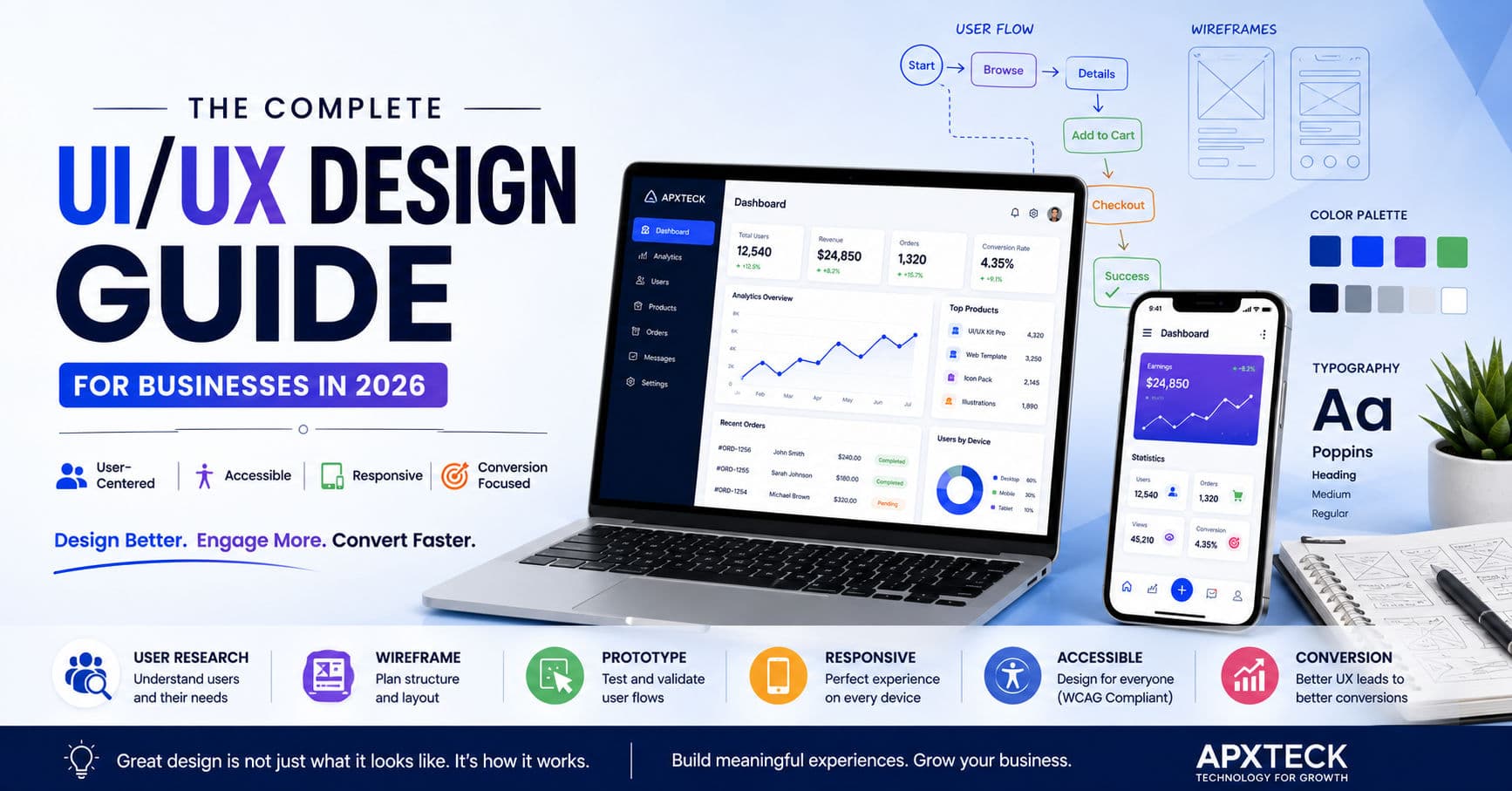
The Complete UI/UX Design Guide for Businesses in 2026: Improve User Experience and Increase Conversions
In today's digital world, customers form opinions about a business within seconds. Whether someone visits your website, uses your mobile application, or interacts with your online platform, their experience directly impacts how they perceive your brand.
Many businesses invest heavily in marketing, SEO, and advertising to attract visitors. However, if the website is confusing, slow, or difficult to use, those visitors often leave without becoming customers.
This is where UI (User Interface) and UX (User Experience) design become critical.
A well-designed digital experience doesn't just look attractive—it helps users complete tasks quickly, understand information easily, and feel confident interacting with your business.
In 2026, businesses that prioritize user experience will continue to outperform competitors that focus only on features and functionality.
"Good design attracts users. Great user experience keeps them coming back."
Understanding UI and UX
Although UI and UX are often mentioned together, they are not the same thing.
What is UI (User Interface)?
UI refers to the visual elements users interact with.
This includes:
- Buttons
- Menus
- Colors
- Typography
- Icons
- Layouts
- Forms
- Navigation
UI focuses on how a product looks and feels.
What is UX (User Experience)?
UX focuses on how users interact with a product.
It includes:
- Ease of use
- User journeys
- Accessibility
- Navigation flow
- Information structure
- User satisfaction
- Task completion
UX ensures users can achieve their goals efficiently and without frustration.
A Simple Example
Imagine visiting a restaurant.
The interior design, lighting, menu style, and furniture represent the UI.
The speed of service, ease of ordering, food quality, and overall satisfaction represent the UX.
You need both for a great experience.
The same principle applies to websites and applications.
Why UI/UX Matters for Businesses
Some companies still view design as an optional expense.
In reality, UI/UX directly affects:
- Conversion Rates
- Customer Retention
- User Engagement
- Sales
- Brand Perception
- Customer Trust
Poor user experiences often lead to:
❌ High Bounce Rates
❌ Abandoned Forms
❌ Lost Sales
❌ Negative Reviews
❌ Reduced Customer Loyalty
On the other hand, good design improves business outcomes significantly.
The Business Impact of Good UX
Research consistently shows that users prefer products that are:
- Easy to navigate
- Fast to use
- Mobile friendly
- Visually appealing
- Accessible
- Consistent
When users enjoy interacting with a product, they are more likely to:
✔ Stay longer
✔ Complete purchases
✔ Return in the future
✔ Recommend the product
✔ Trust the brand
This is why companies like Apple, Google, Airbnb, Netflix, and Spotify invest heavily in user experience design.
Core Principles of Effective UI/UX Design
Successful digital products share several common design principles.
1. Simplicity
Users should never feel overwhelmed.
Good interfaces focus on clarity rather than complexity.
Ask yourself:
- Is this page easy to understand?
- Can users find what they need quickly?
- Is unnecessary information removed?
The simpler the experience, the better the results.
2. Consistency
Consistency builds familiarity.
Use consistent:
- Colors
- Typography
- Buttons
- Icons
- Navigation patterns
When users know what to expect, they interact more confidently.
3. Visual Hierarchy
Not everything on a page should receive equal attention.
Designers use:
- Font size
- Color contrast
- Spacing
- Layout structure
to guide users toward important actions.
A strong visual hierarchy helps users understand information quickly.
4. Accessibility
Accessibility ensures digital products can be used by everyone, including people with disabilities.
Modern accessibility practices include:
- Keyboard navigation
- Screen reader compatibility
- Color contrast optimization
- Alternative image text
- Responsive layouts
Accessible websites often provide better experiences for all users.
5. User-Centered Design
The most successful products are designed around user needs—not business assumptions.
Instead of asking:
"What do we want users to do?"
Ask:
"What do users need to accomplish?"
This mindset dramatically improves user satisfaction.
User Research: The Foundation of Great UX
Before creating wireframes or designing screens, it's important to understand users.
UX research helps answer questions such as:
- Who are the users?
- What problems are they trying to solve?
- What devices do they use?
- What frustrates them?
- What motivates them?
Methods include:
- Interviews
- Surveys
- User Testing
- Analytics Review
- Heatmaps
- Feedback Forms
Research reduces guesswork and helps create better products.
Creating User Personas
A user persona is a fictional representation of your ideal customer.
Example:
Sarah – Small Business Owner
Goals:
- Increase online sales
- Manage customers efficiently
- Improve business visibility
Challenges:
- Limited technical knowledge
- Time constraints
- Budget limitations
Designing with personas helps teams focus on real user needs.
Information Architecture
Information Architecture (IA) refers to how content is organized and structured.
Good IA helps users:
- Find information quickly
- Understand navigation
- Complete tasks efficiently
Examples:
- Clear menu structures
- Logical page hierarchy
- Organized content categories
- Effective search functionality
Poor information architecture often creates frustration and confusion.
Continue Reading on APXTECK
Explore more expert guides:
👉 Why Your Business Needs a Custom Web Application to Scale in 2026
👉 Next.js vs React: Which Framework Is Better for High-Performance Websites?
👉 Technical SEO Guide for 2026
👉 Explore More Technology Insights
https://www.apxteck.com/insights-news
Wireframing: Turning Ideas into Structure
Before designers focus on colors or visuals, they create wireframes. A wireframe is a simplified blueprint of a website or application that defines the layout and placement of key elements.
Wireframes help teams:
- Organize content logically
- Improve navigation
- Validate user flows
- Reduce development rework
- Gather early stakeholder feedback
Starting with wireframes ensures design decisions are based on usability rather than appearance.
Prototyping: Bringing Ideas to Life
Once the wireframe is approved, designers build an interactive prototype.
Unlike a static design, a prototype simulates how users will interact with the product.
Benefits include:
- Early usability testing
- Faster design validation
- Improved team collaboration
- Reduced development errors
- Better client presentations
Modern design tools make it possible to test interactions before writing a single line of code.
Responsive Design: Designing for Every Device
Today's users access websites from desktops, laptops, tablets, and smartphones. A responsive design adapts seamlessly to different screen sizes without compromising usability.
Responsive design should include:
- Flexible layouts
- Responsive typography
- Optimized images
- Touch-friendly buttons
- Consistent navigation
A responsive website not only improves user experience but also supports better search engine rankings.
Mobile-First Design
With mobile traffic continuing to grow, businesses should design for smaller screens first and then scale up for larger devices.
A mobile-first approach encourages designers to prioritize:
- Essential content
- Faster loading times
- Simple navigation
- Touch interactions
- Minimal distractions
This results in cleaner interfaces and improved performance across all devices.
Design Systems: Building Consistency at Scale
A design system is a collection of reusable components, guidelines, and standards that ensure consistency across digital products.
A typical design system includes:
- Color palette
- Typography styles
- Buttons
- Forms
- Icons
- Cards
- Navigation patterns
- Spacing rules
Benefits include:
- Faster design and development
- Consistent branding
- Easier maintenance
- Better collaboration between designers and developers
Accessibility: Designing for Everyone
Inclusive design is no longer optional. Websites should be accessible to users with diverse abilities.
Key accessibility practices include:
- Clear color contrast
- Keyboard navigation
- Alternative text for images
- Descriptive form labels
- Readable typography
- Logical heading structure
- Focus indicators for interactive elements
Designing with accessibility in mind improves usability for everyone and supports compliance with international accessibility standards.
UI/UX Trends Shaping 2026
Digital design continues to evolve rapidly. Some of the most impactful trends include:
AI-Powered Personalization
Interfaces that adapt content, recommendations, and layouts based on user behavior.
Micro-Interactions
Subtle animations and feedback that make interactions feel natural and engaging.
Minimalist Interfaces
Clean layouts with fewer distractions and greater emphasis on content.
Voice and Conversational Interfaces
Voice search and AI assistants are becoming increasingly common across digital platforms.
Dark Mode Support
Providing both light and dark themes improves accessibility and user comfort.
Data-Driven Design
Analytics, heatmaps, and user behavior data guide continuous improvements rather than relying on assumptions.
Common UI/UX Mistakes to Avoid
Even visually attractive websites can struggle if fundamental usability principles are ignored.
Avoid these common mistakes:
- Confusing navigation
- Too many pop-ups
- Slow page loading
- Inconsistent layouts
- Poor mobile optimization
- Small touch targets
- Weak color contrast
- Long, complicated forms
- Missing call-to-action buttons
- Ignoring user feedback
A user-friendly experience should always be intuitive, efficient, and consistent.
Popular UI/UX Design Tools
Professional designers rely on a range of tools to create and test digital experiences.
Some of the most widely used include:
- Figma
- Adobe XD
- Sketch
- Framer
- Miro
- Maze
- Hotjar
- Google Analytics
Each tool serves a different purpose, from interface design to usability testing and user behavior analysis.
Real Business Benefits of Great UI/UX
Investing in user experience delivers measurable business value.
Well-designed digital products often lead to:
- Higher conversion rates
- Increased customer satisfaction
- Lower bounce rates
- Better customer retention
- Stronger brand credibility
- Reduced support requests
- Improved operational efficiency
For businesses focused on long-term growth, UI/UX is a strategic investment rather than simply a design task.
Continue Learning with APXTECK
Explore more expert insights:
👉 Why Your Business Needs a Custom Web Application to Scale in 2026
https://www.apxteck.com/insights-news/why-your-business-needs-a-custom-web-application-to-scale-in-2026
👉 Next.js vs React: Which Framework Is Better for High-Performance Websites?
https://www.apxteck.com/insights-news/nextjs-vs-react-best-framework-for-business-websites-2026
👉 Technical SEO Guide for 2026
https://www.apxteck.com/insights-news/technical-seo-2026
👉 Explore More Technology Insights
https://www.apxteck.com/insights-news
Official Resources
To deepen your understanding of UI/UX, explore these trusted resources:
- Nielsen Norman Group – https://www.nngroup.com/
- Interaction Design Foundation – https://www.interaction-design.org/
- Google web.dev – https://web.dev/
- W3C Web Accessibility Initiative – https://www.w3.org/WAI/
Frequently Asked Questions
What is the difference between UI and UX?
UI focuses on the visual appearance and interactive elements of a product, while UX focuses on the overall experience users have when interacting with it.
Why is UI/UX important for businesses?
Good UI/UX improves customer satisfaction, builds trust, increases conversions, and reduces user frustration, ultimately supporting business growth.
Does UI/UX affect SEO?
Yes. A well-designed, fast, mobile-friendly, and accessible website enhances user engagement and aligns with Google's Core Web Vitals, which can positively influence search visibility.
Which industries benefit most from UI/UX?
Every industry benefits, including e-commerce, healthcare, finance, education, SaaS, manufacturing, hospitality, and government services.
Can small businesses benefit from investing in UI/UX?
Absolutely. Even small improvements in navigation, forms, and usability can lead to higher conversions, stronger customer loyalty, and better overall business performance.
Key Takeaways
✔ UI focuses on the visual design, while UX focuses on the overall user experience.
✔ User-centered design helps businesses create products that solve real customer problems.
✔ Responsive, accessible, and mobile-first designs improve engagement across all devices.
✔ Design systems ensure consistency, scalability, and efficient collaboration.
✔ Continuous user research and testing are essential for improving digital products over time.
Final Thoughts
Exceptional UI/UX design is not about following trends—it's about creating meaningful, intuitive, and efficient experiences that meet user needs while supporting business objectives.
As technology continues to evolve, businesses that prioritize usability, accessibility, and customer-centric design will be better positioned to build trust, increase engagement, and achieve sustainable growth.
Whether you're redesigning an existing website or launching a new digital product, investing in thoughtful UI/UX design is one of the smartest decisions you can make.
"The best digital experiences are those that users barely notice—because everything simply works."
Build Better Digital Experiences with APXTECK
At APXTECK, we combine strategy, creativity, and technology to design user experiences that deliver measurable results.
Our services include:
- UI/UX Design
- Website Design & Development
- Mobile App Design
- Design Systems
- User Research
- Wireframing & Prototyping
- Frontend Development
- Digital Transformation Consulting
Whether you're creating a new product or improving an existing one, our team is ready to help you build intuitive, engaging, and scalable digital experiences.
👉 Explore Our Services
https://www.apxteck.com/
👉 Read More Insights
https://www.apxteck.com/insights-news
👉 Contact Our Team
https://www.apxteck.com/contact
Article Comments
You must be signed in to post comments.
Sign In to Join the Discussion →No comments approved yet. Be the first to share your thoughts!
About the Author

Amol Khodre
Director & Co-Founder at APXTECK SOLUTIONS PRIVATE LIMITED
Director & Co-Founder at APXTECK SOLUTIONS PVT. LTD. He specializes in driving enterprise digital transformation and building scalable web architectures. With a strong foundation in full-stack development and modern UI/UX design, he is passionate about crafting intuitive and robust digital solutions for businesses.
Related Insights

The Complete UI/UX Design Guide: How Great Design Turns Visitors into Loyal Customers

Next.js vs React: Which Framework Is Better for High-Performance Websites in 2026?

Why Your Business Needs a Custom Web Application to Scale in 2026

What a ₹1 Candy Taught Me About Product-Led Growth

Cloud PCs for Indian Developers: Is Neverinstall Worth It?

Dhamaal 4 Review & Box Office Collection: Hit or Flop?

Sonam Wangchuk's 20 July March: Why India's Education Crisis Matters